I built a browser multiplayer game without a server
I built a zero-server WebRTC air-hockey experiment with AI-assisted code. I did not know WebRTC beforehand, so the project became both a playable prototype and a practical way to learn peer-to-peer browser architecture.
The idea
I wanted to build a small browser experiment where two phones could play together without a backend. No lobby server. No account system. No database. Just two browsers, WebRTC, a manual invite code, and enough game feel to make it more than a network demo.
I was not familiar with WebRTC before this project. That was the point. I wanted to use AI agents as an iteration partner, ship a concrete artifact, and then learn the technology by reading the code that came out of the process.
The surprising part is where the project did not break. The WebRTC implementation worked first try. The manual handshake worked. The peer-to-peer state sync worked. The core game loop worked. What failed was the product around it, because my plan had detailed architecture decisions and almost no interface decisions.
What came out of it is a tiny mobile-first air-hockey game where two phones connect directly through WebRTC. One player creates an invite, sends it to the other player, receives a reply code, and starts the match. The game uses WebRTC data channels for peer-to-peer state updates and PixiJS for the action layer.
Play the zero-server WebRTC browser multiplayer experiment
Why this was a good AI project
This had the right shape for agentic coding.
It was bounded. The game only needed one puck, two paddles, simple scoring, and a manual connection flow. It was also unfamiliar enough that I could not just autopilot the implementation from memory. WebRTC forced real architecture decisions early: who owns the simulation, how signaling works, what happens when a packet drops, and how much state should cross the connection.
That combination worked well. The scope was small enough for the agents to execute, but unfamiliar enough that I still had to pay attention. I could not just approve diffs on autopilot.
My role was not to type every line. My role was to set constraints, reject bad directions, test the result, and keep the project honest.
The workflow
I split the work across a handful of focused conversations:
- Brainstorm the experiment. Define the game, the mobile constraints, the WebRTC learning goal, and the architecture direction.
- Build from the plan. Use the GDD/TDD as the implementation brief and let the agent build the first working version.
- Redesign the UI. Fix the handshake flow, button states, viewport problems, back behavior, and small-screen layout failures.
- Push the art direction. Move it from generic prototype UI into a bright pop-art sports toy with a readable arena.
- Publish it as a project. Add it to the portfolio once it felt worth showing.
- Clean up validation. Run the project checks and fix the browser-multiplayer issues instead of leaving the repo messy.
The implementation pass is almost the least interesting conversation, but for a good reason: it mostly just executed the plan. There were no special debugging tools involved, just the normal VS Code workflow and npm run check from the project scripts.
The rough part was everything around the game. The plan had strong opinions about networking, simulation, authority, mobile controls, and renderer boundaries, but it did not make enough product decisions about the interface. So the first version proved the hard technical bit and exposed the soft, messy bit: the game worked, but the UI was terrible.
That is why the longest sessions were the feedback loops, not the implementation. The UI/UX pass alone had 21 user messages and 289 tool calls. The pop-art pass had 15 user messages and 139 tool calls.
That sounds noisy, but it is also the point. The value was not one perfect prompt. The value was fast, specific iteration.
I did not use the heaviest models available for this either. No GPT 5.5. No Claude Opus. The initial implementation, including the WebRTC work in step 2, was built with GPT 5.3 Codex. The UI and visual iteration used Gemini 3.1 Pro. That makes the result more interesting to me, not less. It was not a story about one giant model magically solving everything. It was a story about clear constraints, tight feedback, and enough technical taste to keep the agents pointed in the right direction.
The agents moved fast, but they did not know what mattered. That was my job: deciding when the technical result was good enough, when it failed as a product, and which constraints were worth preserving even when a generated change looked plausible.
The code boundaries I wanted
The important thing was separation. I did not want the renderer deciding scores, the network layer knowing game rules, or the controller turning into a 3,000-line junk drawer.
The final implementation is split by responsibility:
- Connection:
network.ts,handshake.ts, andprotocol.tshandle WebRTC setup, shareable invite codes, and compact game messages. - Game truth:
simulation.tsowns the authoritative state, physics, collisions, scores, and round flow. - Presentation:
renderer.tsdraws the court, puck, paddles, trails, particles, squash, and screen shake with PixiJS. - Glue:
controller.tsandinput.tsconnect the DOM, touch input, network messages, simulation snapshots, and lifecycle cleanup.
Those boundaries were part of the acceptance criteria. For a prototype, it would have been easy to dump everything into one file and call it done. I wanted something I could still understand after the AI had finished generating it.
The WebRTC part
This was the first WebRTC distinction that clicked for me: signaling is not the peer-to-peer part. It is just the introduction. Both peers need to exchange enough information to connect, but that exchange does not have to happen through a server I own.
For this experiment, I wanted no signaling server at all. So the signaling flow is manual:
- The host creates a local WebRTC offer.
- The offer is serialized into an invite code.
- The host sends that code through the native share sheet or by copy/paste.
- The client pastes the invite and generates an answer code.
- The host pastes the answer.
- The data channel opens and the match starts.
The code prefixes handshake strings with p2p1. and wraps the SDP in a versioned envelope with a timestamp. It also uses the browser CompressionStream API when available, because raw SDP is too large and awkward for casual sharing.
The manual flow is clunky compared to a normal matchmaking server, but it is also the whole experiment. Two browsers can connect directly once they know about each other. That still feels slightly magical.
The game architecture
The host is authoritative. It runs the simulation, handles collisions, scores points, and broadcasts state snapshots at 30Hz.
The client sends input at 60Hz. That input is intentionally simple: paddle X, paddle velocity, role, and tick. The input is absolute rather than relative, so dropped packets do not accumulate into drift. If the host misses one input frame, the next one still contains the current paddle position.
The data channel is created with:
ordered: false,
maxRetransmits: 0,
That is the right trade-off for this kind of game. Old paddle packets are not precious. A late packet is worse than a lost packet.
State snapshots are packed into binary frames with Float32 values. Flow messages like rematch requests and forfeits stay JSON because they are rare and easier to evolve. That gives the hot path a compact format without making every message painful to debug.
The simulation
The game runs in a fixed logical arena: 1000 x 1800. The renderer scales that arena into the available CSS box, so collision math stays the same across devices.
The physics are deliberately simple:
- Paddles are fixed on the Y axis.
- The puck has no friction.
- Wall bounces are elastic.
- Paddle hits increase puck speed.
- Paddle velocity adds spin, so horizontal thumb movement matters.
- First to 5 wins.
The important part is that the simulation and presentation are separate. The host simulation is the source of truth. The renderer can exaggerate impacts with particles, squash, trails, and shake, but it cannot invent scores or collisions.
That separation is one of the things I like most about the final code. It is exactly the kind of boundary that is easy to ask for up front and expensive to retrofit later.
The mobile control decision
The first game-design constraint was mobile portrait mode. Not desktop first. Not responsive as an afterthought. Phone first.
The control model is absolute drag. The player drags anywhere in the bottom touch area, and the paddle maps directly to the finger’s X position. No acceleration curve. No virtual joystick. No pretend gamepad.
That made the networking model simpler too. The client can send absolute paddle samples, and both peers can keep the local player feeling responsive. Even if the authoritative state arrives slightly later, the local paddle should not feel like it is moving through syrup.
The UI pass
The rough prototype worked before the interface felt good. That is normal. It is also where the AI workflow became most useful.
I gave very direct feedback:
- The game should stay hidden until the handshake is ready.
- Everything has to fit inside the viewport. If it scrolls, the layout failed.
- Buttons should be disabled until the required code exists.
- Invite and reply codes need inline copy buttons.
- Top actions must stay on one row.
- The canvas and card dimensions must match.
- Labels should say “You” and “Opponent”, not “host” and “client”.
- Persistent helper text should disappear once the player understands the control.
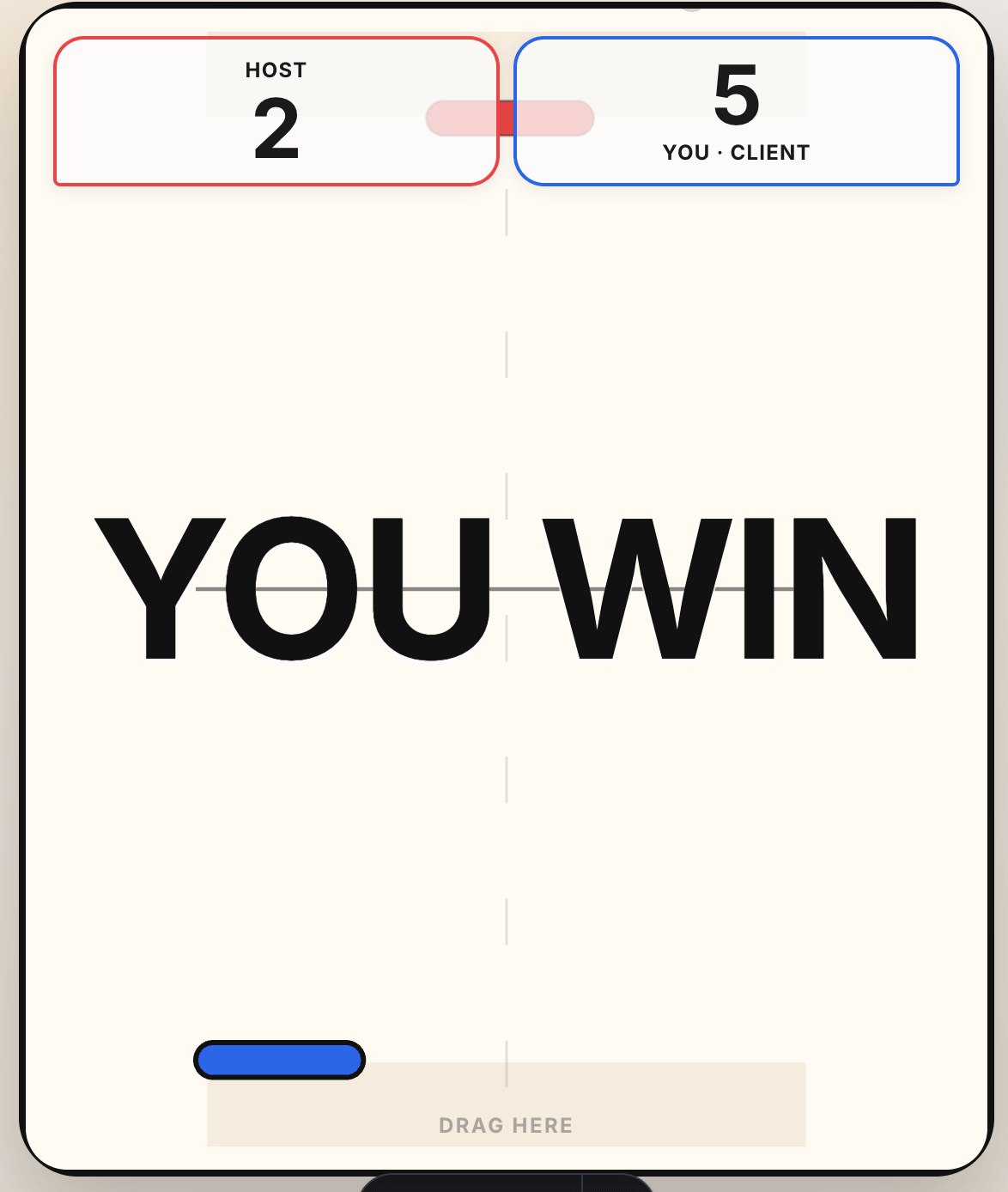
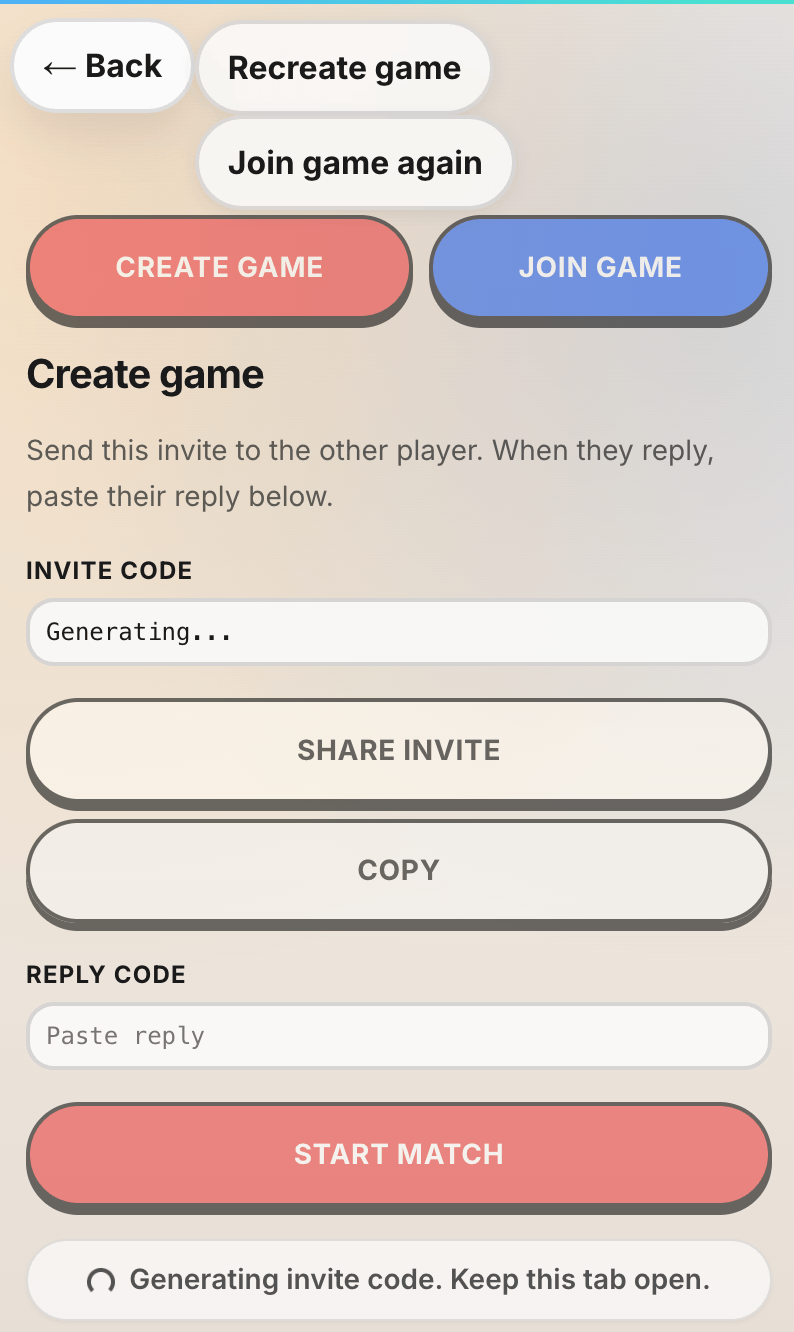
This is where agentic coding feels less like generation and more like directing. The agent can make the changes quickly, but I still have to notice what is wrong. The taste and constraints are not optional.
The art direction pass
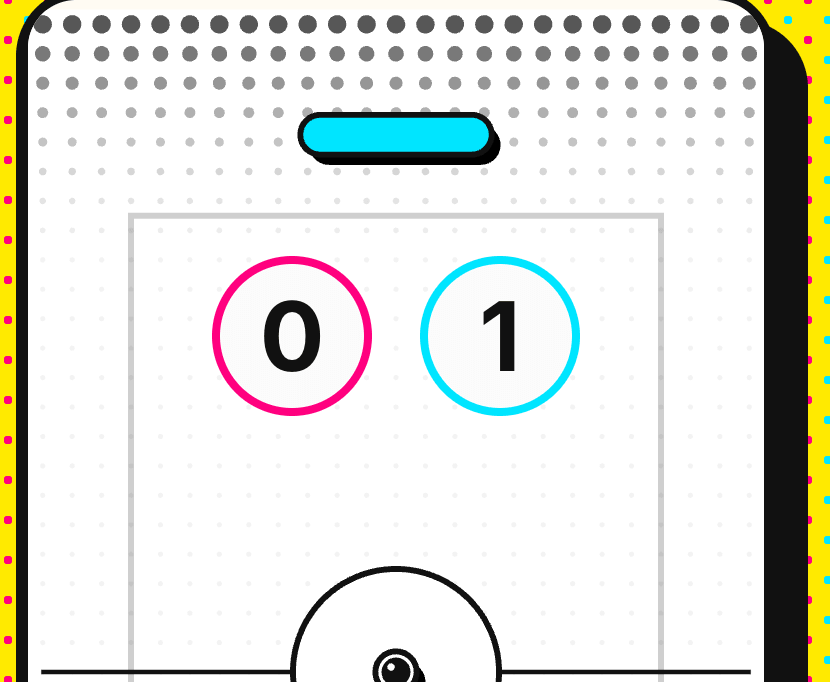
The visual style started too generic. I pushed it toward pop-art: bright yellow background, dotted patterns, heavy black shadows, red and cyan player colors, pill-shaped controls, and a flat court drawn inside the Pixi canvas.
There were several small corrections that mattered:
- The canvas needed a solid background for readability.
- The arena needed a center line and circle.
- The score needed to sit lower, around a quarter down from the top.
- The touch area needed to read as draggable without covering play.
- Goal visuals should not contradict the actual scoring rules.
- Win/lose text should stay readable instead of scaling wildly.
This is one of the more honest parts of the process. AI can generate visual treatment very quickly, but it also overdecorates quickly. I spent a lot of the session saying no. Remove that box. Tone down that background. Move that text. Do not let the effect block the puck.
The final version is still a prototype, but it has a point of view. That matters for a portfolio experiment.
What I learned from reading the code
The surprising part is how approachable WebRTC became once I had a working artifact.
Before this, WebRTC felt like one of those browser APIs surrounded by ceremony. ICE candidates, SDP, offers, answers, STUN servers, data channels. Lots of words that sound larger than they are.
After the project, the shape is much clearer:
- SDP is the description of what a peer can do and how it might be reached.
- The offer/answer exchange is just signaling. It does not have to be a server.
- A STUN server helps peers discover network candidates. It is not the same as a game server.
- Once the data channel is open, it feels a lot like any other message pipe.
- For games, authority and packet strategy matter more than the raw API complexity.
I learned that by reading code the agents wrote. Not by watching a tutorial first. Not by pausing for a week to build a perfect mental model. I built the thing, then used the generated code as the textbook.
That only works if I actually read it. Vibe coding without review leaves you with a magic pile. Agentic coding with review leaves you with a working system and a new mental model.
The unglamorous cleanup
The final pass was npm run check cleanup. That part is not flashy, but it is important.
AI-assisted code still has to survive the same standards as everything else in the repo. TypeScript needs to pass. Astro needs to be happy. The experiment needs to mount and tear down cleanly across view transitions. Invalid handshake strings need to fail safely. Raw SDP should not be sprayed into logs.
That cleanup pass is the difference between “I made a cool demo” and “I can keep this in my codebase without hating myself later.”
What I would change next
This is not a production multiplayer game. It is a focused experiment.
If I kept going, I would improve:
- Handshake ergonomics. Manual codes are great for proving the point, but still awkward.
- Connection failure feedback. WebRTC failure cases can be clearer for real users.
- Interpolation polish. The client can always feel smoother under poor network conditions.
- Sound and haptics. The game has visual juice, but impact audio would do a lot.
- Playtesting. The physics constants are plausible, not proven.
I would not add accounts, matchmaking, persistence, or reconnection yet. That would be a different project. The constraint is what makes this one interesting.
The takeaway
This project changed how I think about learning with AI.
The win was not that an agent wrote WebRTC code for me. The win was that I could steer a new technical area from idea to playable prototype, then read the resulting system until it became understandable.
The useful lesson was not “AI can build a WebRTC game.” It was “AI can turn a narrow technical plan into a working artifact fast enough that I can spend more of my energy on judgement, product direction, and learning.”
That loop looked like this:
- Write the plan.
- Let the agent execute the technical slice.
- Test the real thing, not the idea of the thing.
- Notice what the plan forgot.
- Iterate where taste matters.
- Read the generated code until the architecture becomes yours.
- Validate the repo before calling it done.
WebRTC was the perfect subject for that loop. It is powerful, browser-native, and weird enough to be worth exploring. Two phones, no server, one tiny air-hockey game. That is still a pretty good reminder of how much the web platform can do.
Source code
This whole website is open source on GitHub, including the browser multiplayer experiment: tehwave/peterchrjoergensen.dk.
I keep it public so people can read, learn from, and peek behind the curtain. Copyright still applies, so treat it as a reference, not a template to copy wholesale.
Try it
The experiment lives here:
Try the WebRTC browser multiplayer air-hockey experiment
It is intentionally rough around the edges. You need two browsers, a working peer-to-peer network path, and a little patience with the manual invite flow. But when the data channel opens and the puck starts moving, the point lands immediately.
The browser is the platform. AI was the accelerator. The learning happened in the loop between them.